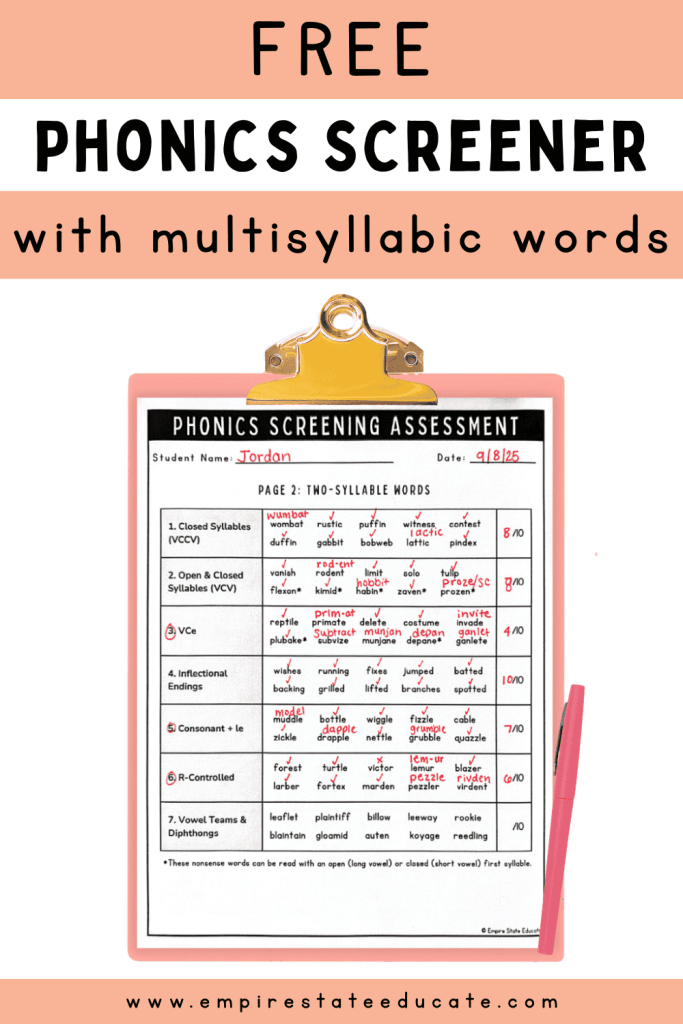
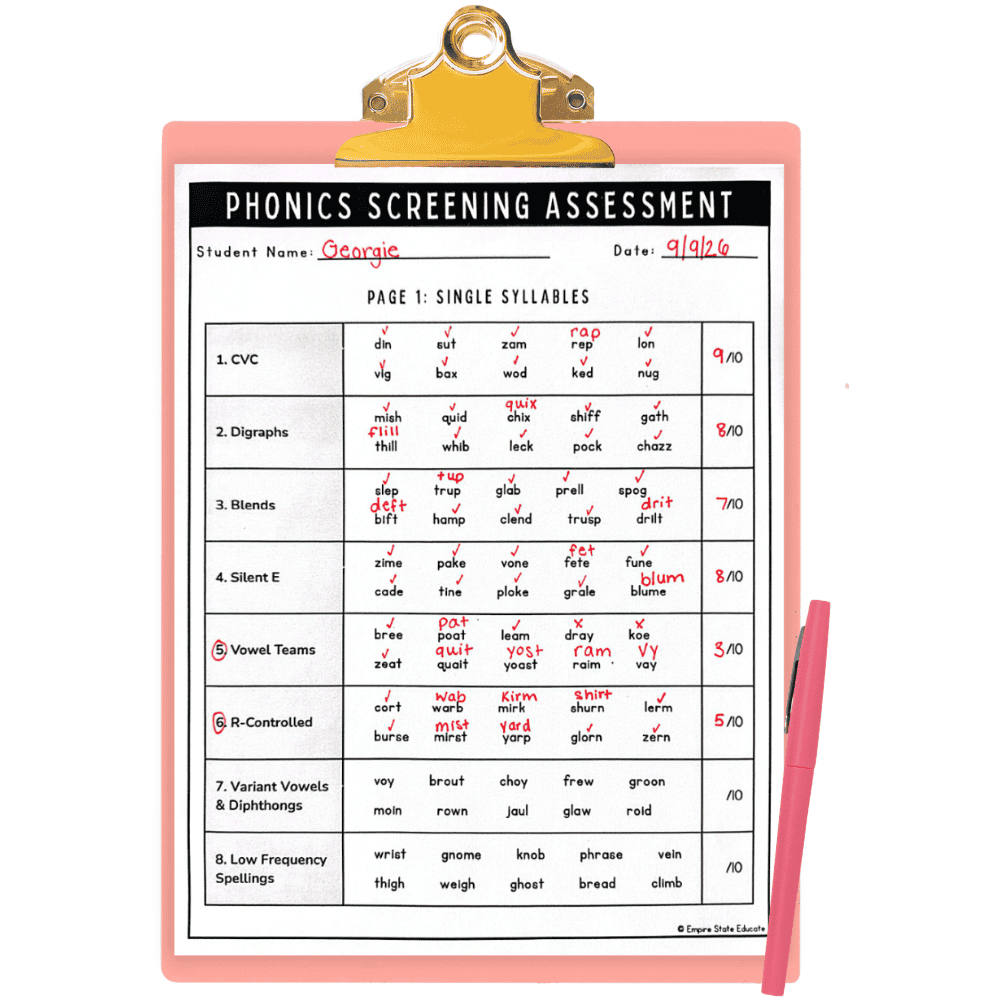
This free phonics screener assessment uses a combination of nonsense words and multisyllabic words to test students’ decoding skills in about ten minutes or less. It’s great for students in second or third grade, plus fourth or fifth grade students who need reading intervention.
In this post, I’ll explain how to use this phonics screener, how to score the assessment, and how to figure out the best place to start phonics instruction to support students with reading. You’ll also be able to download your free printable PDF.
🔎In this post:
What is a phonics screener assessment?
A phonics screener is a diagnostic assessment that determines which spelling patterns and syllable types students can read. They’re most effective when they include nonsense words so students can’t rely on memorization to decode the words.
These assessments are useful tools for:
- Reading intervention
- Setting up small groups at the beginning of the school year
- Revealing decoding gaps in students who appear to be reading “on level” but are actually using context clues to guess words
What makes this phonics assessment different?
Many phonics assessments are geared towards K-2 students and mainly focus on words with one syllable. My free phonics screener uses three different parts to provide a thorough decoding assessment that works for older students. It includes:
- One-syllable nonsense words to test basic phonics skills
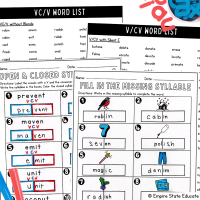
- Two-syllable real and nonsense words to test syllable division skills
- Multisyllabic words to assess advanced decoding and morphology skills
Although this phonics screener includes three parts, it’s not overwhelming. It only takes about 5-10 minutes to administer, and you don’t have to use all the parts.
For second grade, I recommend giving parts 1-2 at the beginning of the school year to group students and determine where to start reading instruction. For 3rd-5th grade, you can give all three parts to check for gaps in students’ decoding skills. This assessment is also a great tool for reading intervention specialists, special education teachers, tutors, or parents of a child who’s struggling with reading.
You don’t need any special training to administer this phonics assessment. It’s easy to use and includes directions, tips, and a free data spreadsheet.
👉🏽Click here to download the printable PDF!
How to Use this Free Phonics Screener
How to prepare the assessment:
1. Print copies of the scoring forms (pages 4-6). You will need one copy for each student you’ll be assessing. Depending on the grade level, you may choose to use all three pages or only one or two.
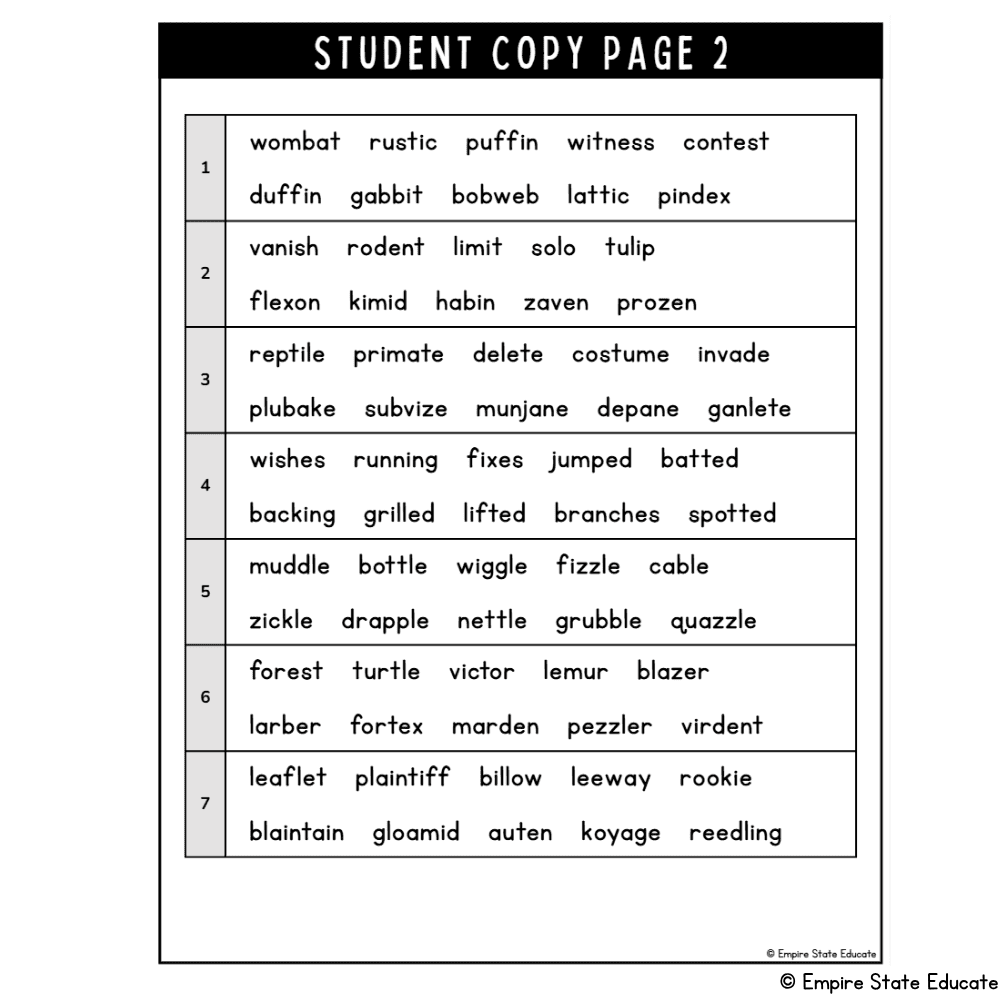
2. Print one student copy (pages 7-9) for students to read from.
How to administer the assessment:
- Say, “I’m going to have you read some words today. Please try your best so I can see what you know and what I need to teach you. Some of the words are not real words. If you don’t know a word, just try your best!”
- Give them the student copy and have them read the words one section at a time. You can place a blank piece of paper over their copy and reveal one line at a time so it doesn’t get overwhelming.
- On the scoring form, mark words that are read correctly with a check. If the student reads a word incorrectly, record what they said above the misread word. Don’t give students the correct answers or ask them to try again.
- Record the number of words read correctly out of ten for each section.
You don’t have to give the entire assessment. I recommend stopping if the student scores 6/10 points or less on two sections in a row or becomes too frustrated to continue. The goal is to find their skill gaps and identify a starting point.
Where to Start Phonics Instruction
Rather than adding up the total score, look at the score for each section. This will tell you which skills the student has mastered and which skills they need support with.
🟢9-10: Mastered
🟡7-8: Review
🔴0-6: Reteach
When teaching phonics, always start with the easier skills and work your way up to harder skills. A student won’t be able to read CVCE words if they haven’t mastered CVC words first.
To figure out where to start instruction, look for the first section that the student scored a 0-6 on. Work on this skill first before continuing to other skills. If there are any sections the student scored a 7 or 8 on, incorporate them into review.
For example, I would start this student with vowel teams. I would incorporate words with digraphs, blends, and silent e for review.⬇️
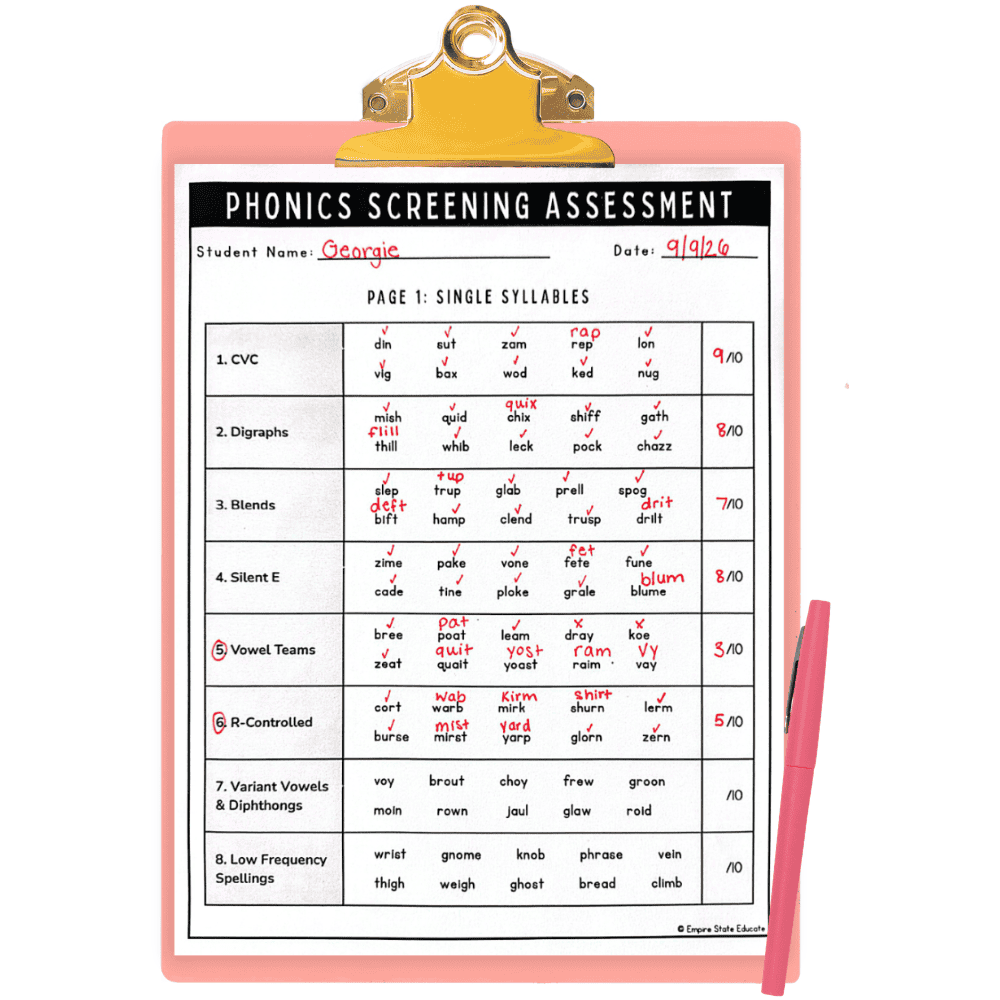
Once you’ve found your starting point, dig a little deeper. I noticed that this student decoded the vowel teams “ee,” “ea,” and “oe” correctly, so they probably don’t need to work on those. They do need to work on the vowel teams “ai,” “ay,” and “oa.”
Sometimes, you may need to give additional assessments to get more information. For example, if you have a student who scored very low on the first few sections, you’ll want to check their letter-sound knowledge and phonemic awareness.
Using the Data to Create Small Reading Groups
If you’re using the phonics screening assessment with your whole class, you can input the data into the spreadsheet to see it all at once. It will automatically be color-coded for you. Then, follow the three steps below.
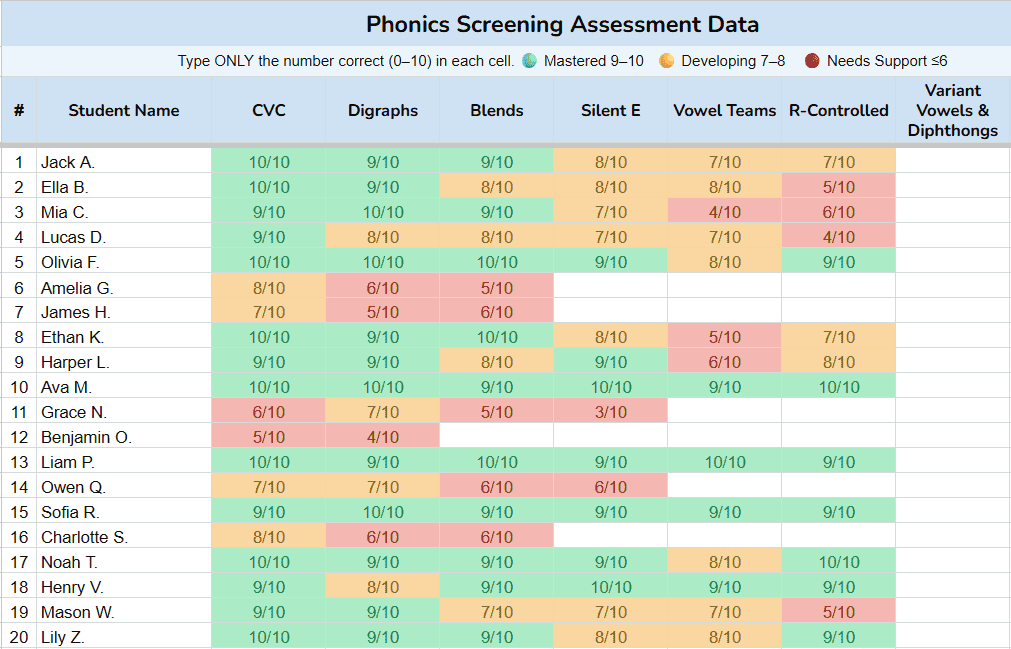
- Look for skills that the majority of your class needs to review. You can address these in your whole-group instruction.
- Look for students with similar skill gaps. For example, three students who scored 6/10 or less on digraphs would make a good small group.
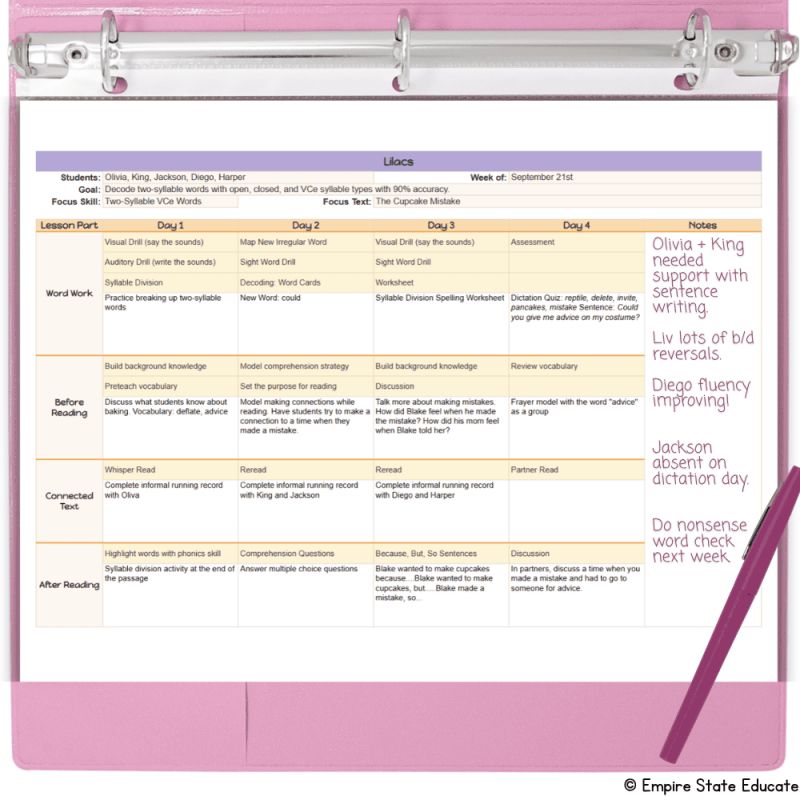
- Set a specific, measurable goal for each group. For example, “students will be able to decode words with vowel teams with 90% accuracy.”
👉🏽Read more about setting up structured literacy small groups.
Progress Monitoring
As you work on a phonics skill with your student(s), you’ll want to monitor their progress. I recommend giving a quick decoding assessment 1-3 times a week. It can be as simple as having them read ten words and recording how many they got correct.
Once they’ve met their goal, you can move on to the next skill. You don’t need to give the phonics screener again. Just go to the next skill in your phonics scope and sequence.
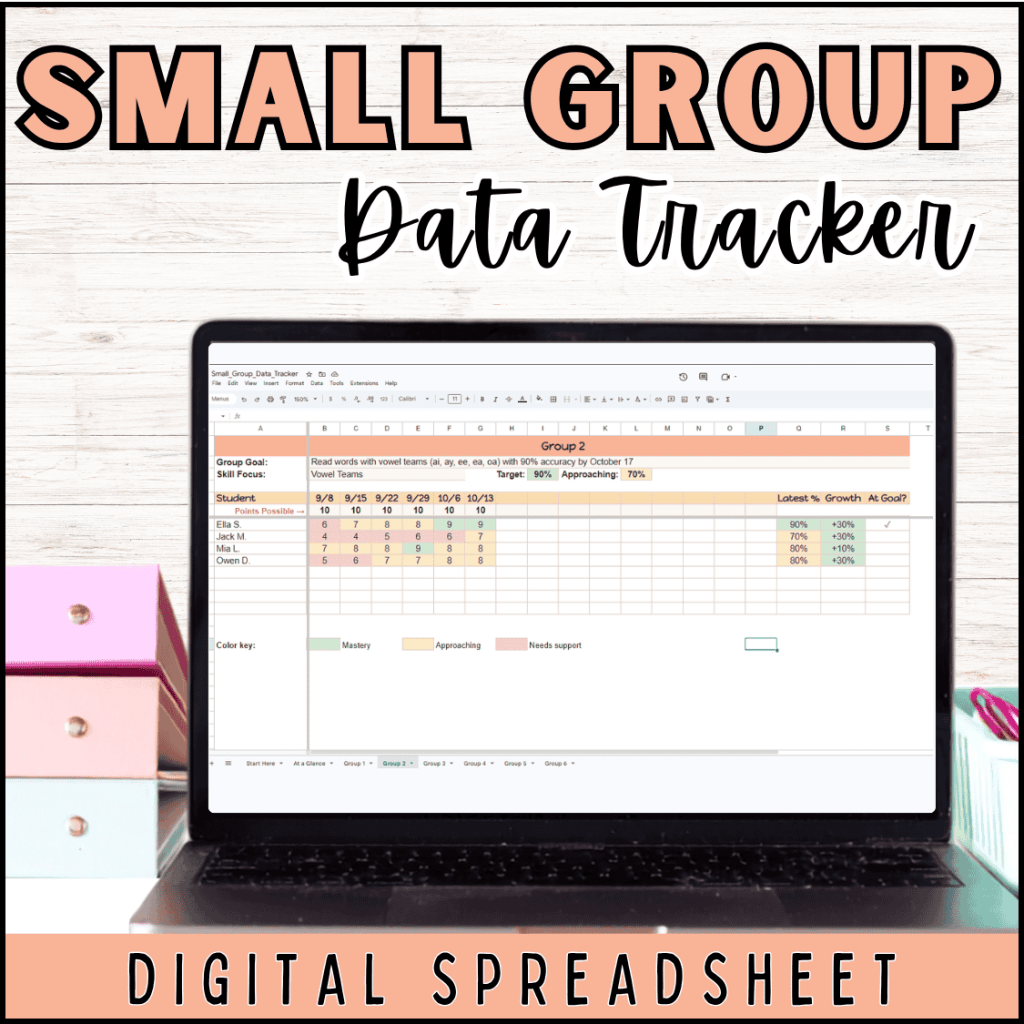
For progress monitoring with small group intervention, I use this color-coded data spreadsheet to stay organized. You input the goals, student names, and assessment scores, and the rest is done for you:
- Scores are automatically color-coded based on the targets you set.
- Formulas automatically calculate students’ growth over time.
- It gives you an “At a Glance” summary of how each group is doing.
Download the Free Phonics Screener PDF

Free Phonics Screener
Download the free phonics screener and data spreadsheet. Figure out how to group students and where to start your instruction.
We respect your privacy. Unsubscribe anytime.
Pin this Post for Later